Day 2: Treat Memory Like a Product Feature
Memory is not a dumping ground
The promise that Hermes gets more useful the longer it runs is genuinely attractive, but it is also easy to misuse. New users hear “memory” and want every conversation saved forever. A product manager should worry immediately. Unbounded memory becomes noise, privacy risk, and a source of stale decisions.
Day 2 is about a smaller and more useful promise: Hermes should remember only what saves work next time.
What deserves long-term memory
Long-term memory should store stable facts.
Good examples:
- You prefer concise Chinese output unless English is requested.
- The project does not allow file deletion without approval.
- A repository uses tabs and a 120-character line width.
- A server runs Debian and Docker commands do not need sudo.
- Weekly reports always include progress, risks, and next-week plans.
These facts appear repeatedly. Saving them reduces coordination cost.
Bad memory candidates:
- The bug you happen to be fixing today.
- Temporary accounts, one-time links, or verification codes.
- Guesses that have not been checked.
- Emotional labels such as “this solution is terrible.”
- Meeting details from a closed task.
Those belong in the session, log, or task artifact, not in long-term memory.
Memory and session search do different jobs
Many beginner guides blur memory and history search. A useful split is:
Memory is the employee handbook. It tells Hermes who you are, how work should be done, and what is not allowed.
Session search is the archive room. It helps Hermes find old conversations, but old conversations should not automatically become permanent rules.
So today you design two layers:
- Save stable preferences into memory.
- Keep project details in sessions and documents, then search them when needed.
Memory needs an acceptance test
Do not configure memory and simply trust it. Run a restart test:
- Teach Hermes one durable preference, such as “tutorial content should be practical, not promotional.”
- Give it one temporary task, such as “today only inspect Day 1 files.”
- Ask Hermes which one should be remembered and which one should expire.
- Start a fresh session and ask what it remembers.
- If the temporary task became permanent memory, clean it immediately.
This test matters more than whether the answer sounds smart. It verifies the boundary.
A copy-ready memory policy
Memory policy:
- Save only stable preferences, long-term project rules, and explicit approval boundaries.
- Temporary tasks, one-time links, and unchecked guesses do not enter long-term memory.
- Ask before deleting files, sending external messages, spending money, or deploying services.
- Review memory every two weeks: merge duplicates and delete stale entries.
Product metrics for memory
Do not measure the number of saved memories. That is the wrong metric.
Better metrics:
- How many repeated background explanations disappeared this week?
- Does Hermes misuse old project rules less often?
- Can the user read and manually edit memory?
- After deleting a memory entry, is behavior still predictable?
If users are afraid to edit memory, the product is not transparent enough. If Hermes keeps citing outdated facts, memory lacks lifecycle management.
Ship this artifact
Create hermes-day-2-memory.md:
stable_preferences:
  - "tutorial writing should be practical, not promotional"
approval_rules:
  - "confirm before deleting files"
do_not_remember:
  - "one-time verification code"
  - "today's temporary task"
review_cadence: "every two weeks"
restart_test: "passed / needs cleanup"
Tomorrow you move Hermes into a messaging channel. The point is not scanning a QR code; the point is creating a low-risk work entry point.
Next step
- Day 3: Put Hermes where requests happen - connect chat without widening permissions too fast.
- Best Skills Directory - extend capability after memory is under control.
Beginner Walkthrough: Make Memory Visible
Do not mystify memory. Today you only need to find where memory lives, save one durable preference, and verify it in a new session.
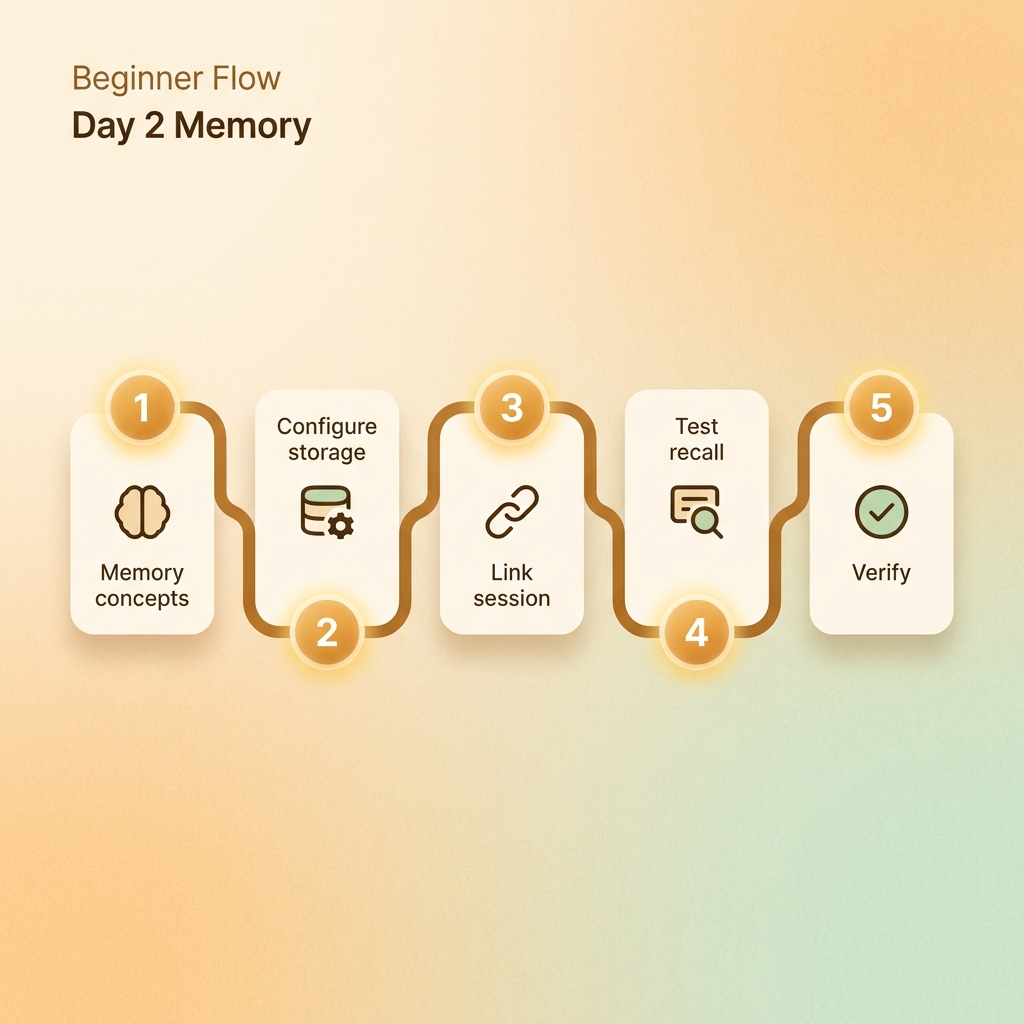
Step 1: Find the memory folder
ls ~/.hermes
ls ~/.hermes/memories || true
Look for files such as MEMORY.md and USER.md. Directory names may differ by version.
Step 2: Split user preference and environment facts
USER.md: communication preferences.MEMORY.md: environment facts and project rules.
Temporary tasks should not become long-term memory. “Ask before deleting files” is durable. “Only inspect Day 1 today” is not.
Step 3: Add one memory
hermes memory add "Use Chinese by default unless I ask for English."
hermes memory add "Ask before deleting, overwriting, or moving files."
hermes memory status
If your version does not support these commands, edit the Markdown memory file directly.
Step 4: Restart and test
Tell me which long-term preferences you remember.
Separate user preferences from project rules.
Acceptance check: Hermes should recall the saved preferences and not invent identity or project facts.
Step 5: Practice deletion
hermes memory add "Temporary note for today only."
hermes memory remove "Temporary note for today only."
Common Day 2 problems
- Memory is not visible: start a truly new session.
- Memory gets noisy: clean it weekly and merge duplicates.
- Session search is confused with memory: history is searchable, durable preferences belong in memory.
Leave this file behind
user_preferences:
  - "Chinese by default"
safety_memory:
  - "ask before deleting or overwriting files"
do_not_remember:
  - "verification codes"
  - "temporary links"
restart_test: "passed / needs cleanup"